Transcriptome pipelines steps and reports
Here, we outline the pipeline steps and reports for the Transcriptome pipeline, encompassing RNA-seq, RNA-seq with UMI, MARS-seq, and DESeq2 from counts matrix pipelines.
Analysis pipeline steps
The pipeline:
Trims adapter sequences
Runs FastQC on the trimmed sequences for quality control of the samples, in parallel with the steps that follow
Maps reads to the selected reference genome
Adds UMI and gene information to the reads
Quantifies gene expression by counting reads
Counts UMI’s for cases of PCR bias
Detects Differentially Expressed (DE) genes for a model with a single factor
Steps 4 and 6 are performed only for MARS-Seq and RNA-seq with UMI
Steps 7 is performed only if DESeq2 is selected
Steps 1-6 are not performed for DESeq2 from counts matrix pipeline

Pipeline report
Upon completion of the analysis, you will be sent an email with links to the results report.
The report includes several sections:
Sequencing and Mapping QC
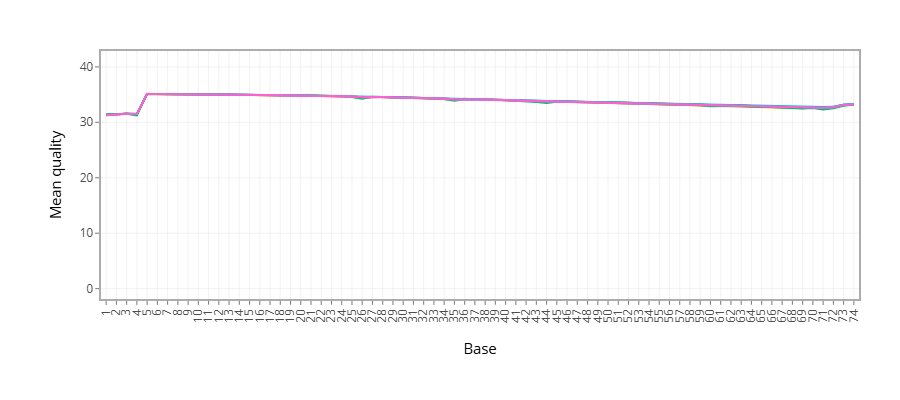
Figure 1 - Plots the average quality of each base across all reads. Qualities of 30 (predicted error rate 1:1000) and above are good
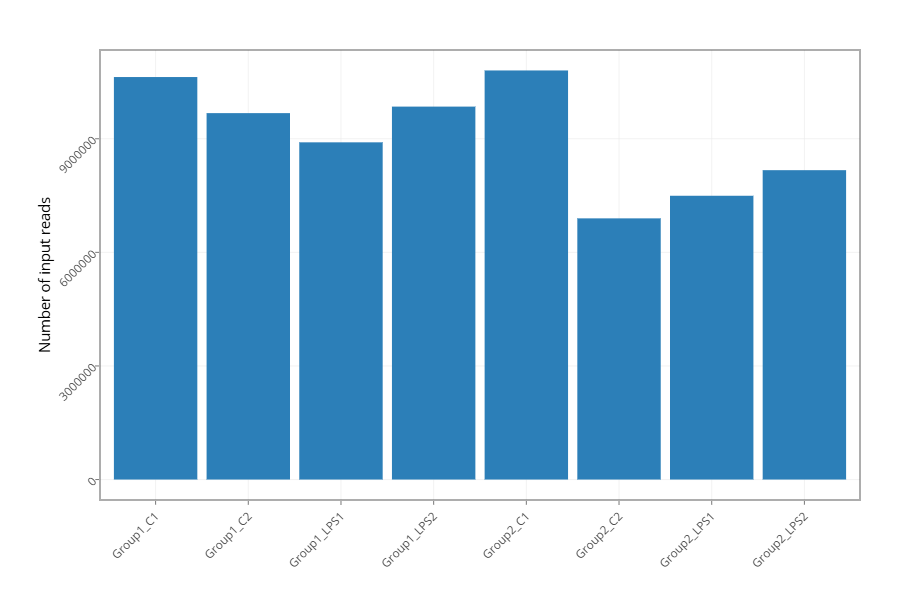
Figure 2 - Histogram showing the number of reads for each sample in the raw data
Figure 3 - Histogram showing the percentage of reads discarded after trimming the adapters (after removing adapters, short, polyA/T and low quality reads are discarded by the pipeline). No figure presented since the percentage of reads discarded after trimming for all samples is lower than 1%.
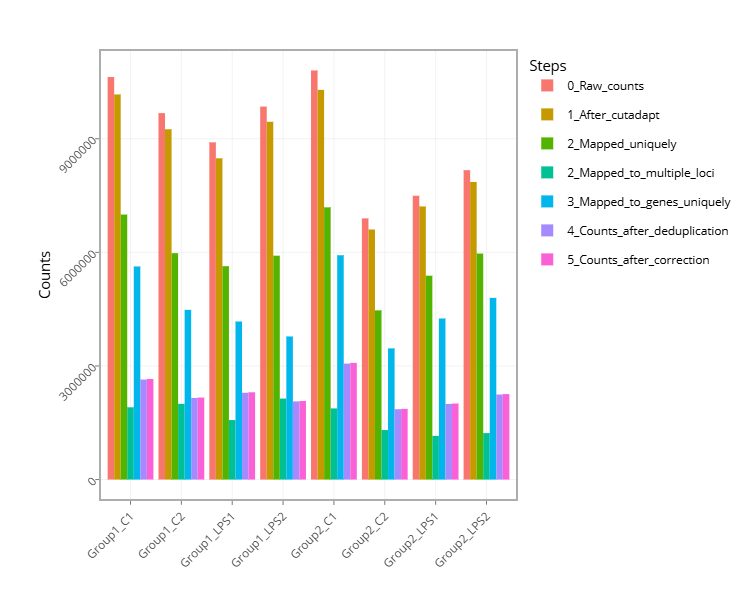
Figure 4 - Histogram with the number of reads for each sample in each step of the pipeline
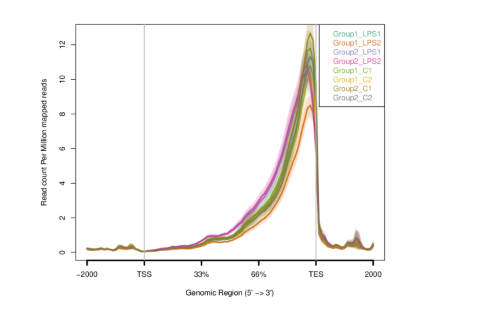
Figure 5 - Plots sequence coverage on and near gene regions
- Exploratory Analysis
Differential Expression Analysis (this section exists only if you run the DESeq2 analysis) - A table with the number of differentially expressed genes (DE) in each category (up/down) for the different contrasts. In addition, links for p-value distribution, volcano plots and heatmaps, as well as a table of the DE genes with dot plots of their expression values are also provided
Bioinformatics Pipeline Methods - Description of pipeline methods.
Links to additional results - Links for downloading tables with raw, normalized counts, log normalized values (rld), and statistical data of contrasts. In cases of models with batches, “combat” values calculated (instead of rld) using the “sva” package, providing batch corrected normalized log2 count values.
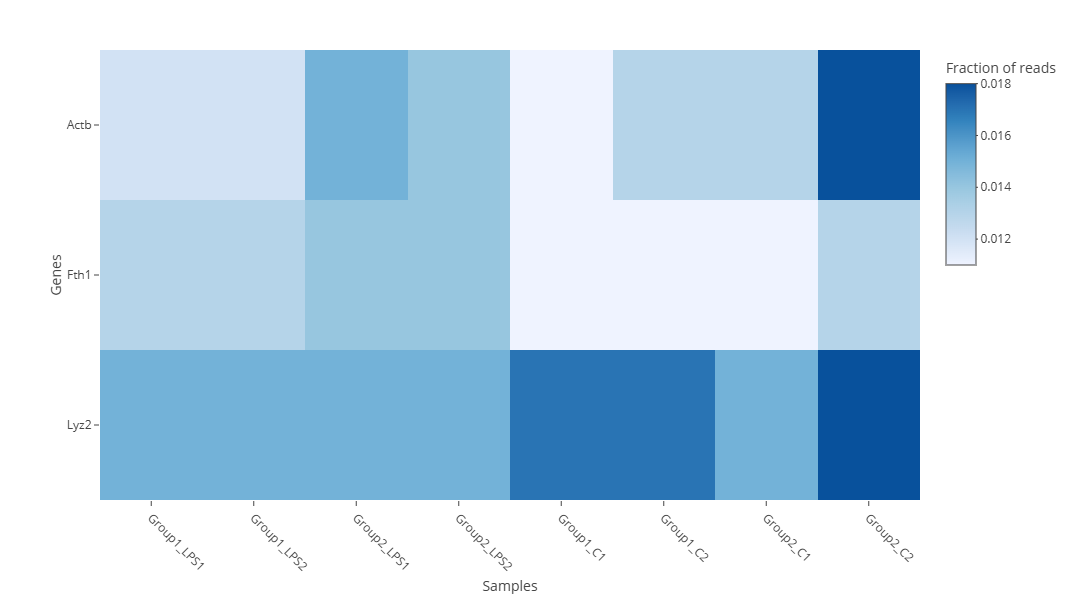
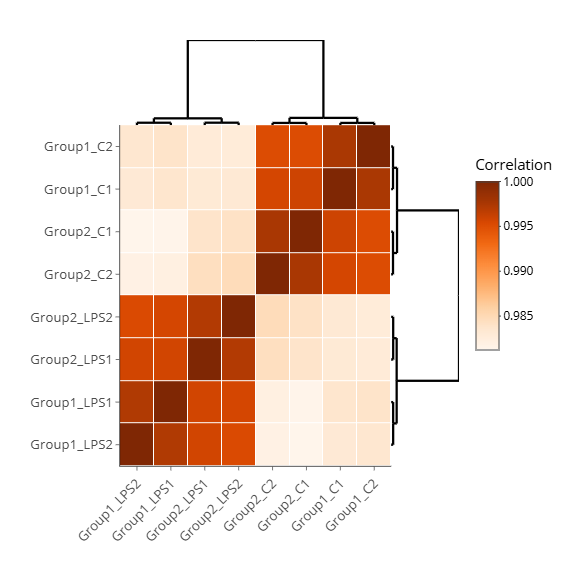
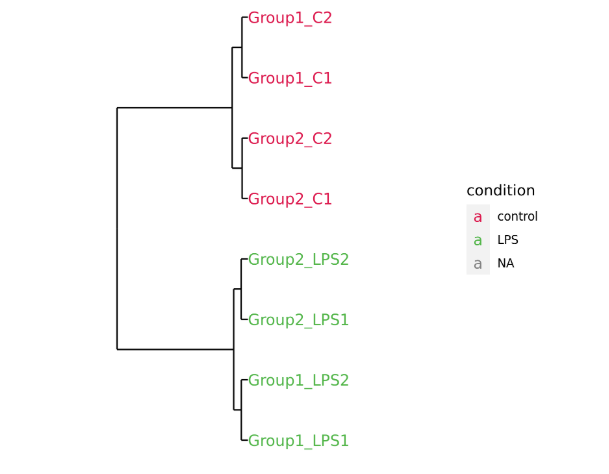
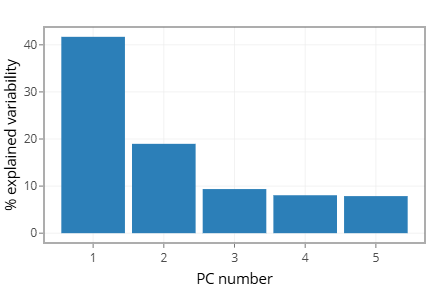
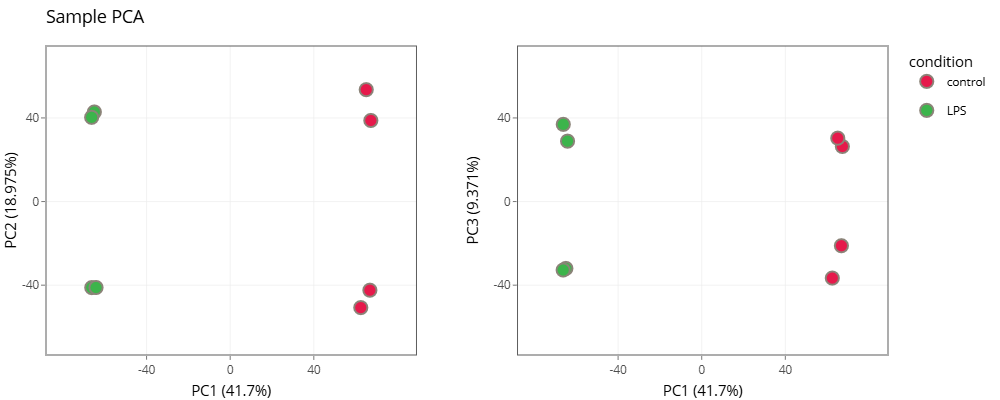

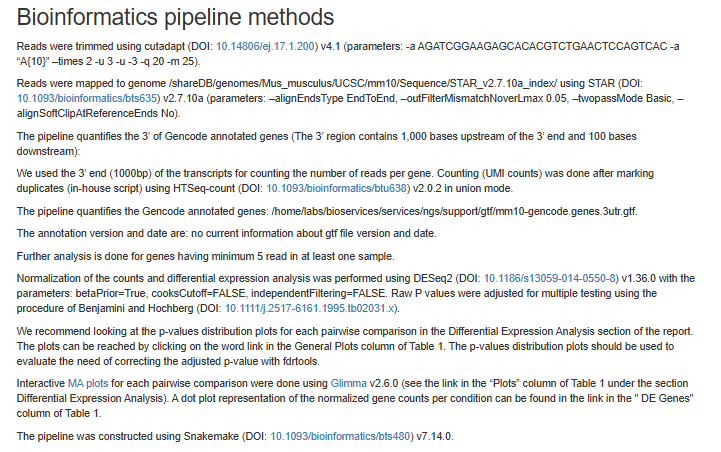
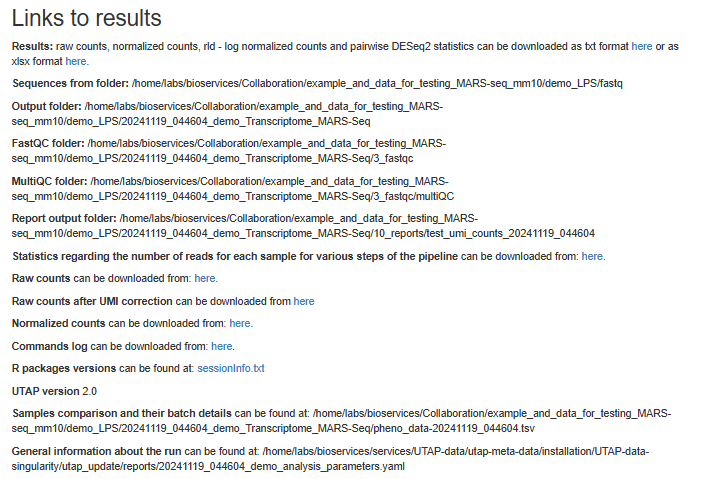
Note that only Figure 2 from Step 1, as well as Steps 2–5, will appear in the DESeq2 counts matrix report.
Output folders for RNA-seq pipeline
0_concatenating_fastq
1_cutadapt
2_fastqc
3_mapping
4_reports
Log directory
Output folders for MARS-seq and RNA-seq with-UMI pipelines
1_combined_fastq
2_cutadapt
3_fastqc
4_mapping
5_move_umi
6_count_reads
7_mark_dup
8_dedup_counts
9_umi_counts
10_reports
Log directory
Output folders for DESeq2 from counts matrix pipeline
<report_directory>
Log file
Annotation file
For counts of the reads per gene, we use annotation files (gtf format) from “Ensembl” or “GENCODE”. In MARS-seq analysis, we extend the 3’ UTR exon away from the transcript on the DNA and extend or cut the 3’ UTR exon towards the 5’ direction on the mRNA.
Examples of reports
DESeq2 from counts matrix example
Note: This example analysis demonstrates a good starting point, and not necessarily an end result.